What Is Web Development? A Beginner’s Guide for 2026
Wondering what web development is and how to build a career in this field? This detailed guide will answer your burning questions and explain the key concepts and skills you need to learn.
Web development is the work of building and maintaining websites and web apps, from the pages you see to the servers and databases behind them.
This guide explains what web development is, what web developers do, the main career paths, and how to start learning.
Table of Contents
What Is Web Development?
Who Is a Web Developer?
Types of Web Development
Web Development vs. Web Design
Is Web Development a good career in 2026?
How to Become a Web Developer in 2026
Take the First Step into Web Development
FAQ
What is web development?
Web development covers everything it takes to plan, build, launch, and keep a website or web application running. It has two main sides: the front end, which is everything users see and interact with in the browser, and the back end, which runs on a server and handles data, logic, and security.
Web development typically involves:
- Building responsive websites and interfaces that work well on all devices
- Creating interactive features like forms and login systems that work smoothly in any web browser
- Managing databases to store user information and content
- Implementing security measures to protect websites and apps from threats
- Optimizing websites for speed, performance, and SEO (search engine optimization) to increase visibility
Who is a web developer?
Web developers turn ideas and designs into working code. They build everything from simple landing pages to complex web applications.
On a typical day, a web developer might:
- Write and test code for new features
- Fix bugs and improve how fast pages load
- Connect a site to a database or an API (a way for programs to exchange data)
- Work with designers, content creators, and other team members to bring a site’s look and features to life
Web developers usually specialize in one or more of these areas:
- Front-end development: Creating the visible, client-side (running in the browser) parts of websites that users interact with directly.
- Back-end development: Building the server-side (running on a server) logic that powers websites behind the scenes.
- Full-stack development: Handling both front-end and back-end development.
Not sure which to pick? See our comparison of front-end vs. back-end development.
Types of Web Development
Front-end development
Front-end developers build what users see and interact with on websites and web apps: buttons, menus, pages, and everything else you click on.
They use HTML, CSS, and JavaScript to bring designs to life and make sites work smoothly on all devices and in different browsers.
Common front-end development job titles:
- Front-End Developer
- UI Developer
- JavaScript Developer
- React Developer
- Angular Developer
- Vue.js Developer
- Web Designer/Developer
- UX Engineer
Key front-end coding languages:
- HTML (HyperText Markup Language): The backbone of any website, defining the structure and content of web pages, like text, images, and links.
- CSS (Cascading Style Sheets): Used for styling web pages, including layout, colors, fonts, and responsiveness. Frameworks like Bootstrap help developers create responsive designs quickly.
- JavaScript: A programming language that adds interactivity and dynamic behavior to websites, such as animations and form validation.
Mimo’s Front-End Development course covers HTML, CSS, JavaScript, and React.
Back-end development
Back-end developers work behind the scenes, creating the systems that power websites and web applications.
They build databases, APIs, and server-side logic for everything from social networks to online stores to streaming services. They also handle user logins, data processing, and connections to other systems and services.
Common back-end development job titles:
- Back-End Developer
- API Developer
- Python Developer
- PHP Developer
- Ruby Developer
- Node.js Developer
- Java Developer
- .NET Developer
- Server-Side Developer
Key back-end coding languages:
- Python: Used for web servers, data analysis, and AI applications
- JavaScript (Node.js): Runs JavaScript code on servers instead of just in browsers
- PHP: Runs many websites, including WordPress sites and Wikipedia
- Java: Used for large-scale applications and Android development
- C#: Microsoft’s language for Windows and web applications
Mimo’s Back-End Development course teaches Node.js, Express, SQL, and APIs.
Full-stack development
Full-stack developers do both front-end and back-end work. They can handle everything from designing user interfaces to managing databases and server-side logic.
Common full-stack development job titles:
- Full-Stack Developer
- Full-Stack Engineer
- Web Application Developer
- Software Engineer
- Web Solutions Developer
Other types of web development
Besides front-end, back-end, and full-stack development, you can specialize in:
- Mobile web development: Creating websites and web apps that work well on phones and tablets.
- Game development: Building browser-based games with JavaScript and HTML5.
- E-commerce development: Building online stores with payment systems and shopping carts.
- CMS development: Creating websites with content management systems (CMSs) like WordPress or Drupal.
Web Development vs. Web Design
Web development and web design are related but distinct fields. Web design focuses on how a site looks and how easy it is to use, while web development handles the technical side of making it work.
Here’s a quick comparison:
| Web development | Web design | |
|---|---|---|
| Primary focus | Functionality and technical performance | Visual aesthetics and user experience (UX) |
| Key skills | Programming languages, problem-solving, and database management | Visual composition, color theory, typography |
| Tools | Code editors and IDEs like Visual Studio Code, libraries and frameworks like React and Angular | Figma, Sketch, Adobe Illustrator |
| Main responsibilities | Writing code, integrating databases, and maintaining security | Creating wireframes, designing user interfaces |
| Output | Functional websites and applications | Visual mockups and prototypes |
| Languages | HTML, CSS, JavaScript, Python, Ruby, PHP, etc. | Basic HTML, CSS |
Is Web Development a good career in 2026?
For many people, yes. BLS projects faster-than-average job growth, and pay is solid.
Here’s what the US Bureau of Labor Statistics (Occupational Outlook Handbook) reports:
- Steady growth: Employment of web developers and digital designers in the US is projected to grow 5% from 2025 to 2035, faster than the 3% average for all occupations. BLS also projects about 13,600 openings per year, including openings to replace workers who leave the occupation.
- Job market size: Web developers and digital designers held about 220,100 jobs in 2025.
- Good pay: The median US pay for web developers was $92,650 per year in May 2025. For web and digital interface designers, it was $104,000.
Education requirements vary: according to BLS they range from a high school diploma to a bachelor’s degree, and many people also learn through online courses, bootcamps, or self-study. Some roles offer remote or hybrid work.
How to Become a Web Developer in 2026
You can start learning web development without a computer science degree.
1. Choose your career focus
First, decide which area of web development interests you most. Your choice will guide which languages and tools you learn first.
For example, choose:
- Front-end development if you enjoy visual design and user experience
- Back-end development if you prefer working with data and server logic
- Full-stack development if you want to combine front-end and back-end skills
- Specialized areas like mobile web, e-commerce, or game development if you have specific interests or prior experience
Start with one area rather than trying to learn everything at once.
2. Work on technical skills
Once you’ve chosen your direction, list the programming languages and tools you need for your path.
For example:
- Front-end basics: HTML, CSS, and JavaScript
- Front-end advanced: libraries and frameworks like React, Angular, or Vue.js
- Back-end options: Python, PHP, Node.js, Ruby, or Java
- Database knowledge: SQL for relational databases or MongoDB for NoSQL
- Version control: Git and GitHub for tracking code changes
3. Choose the best learning resources
The best approach usually combines a structured course with free resources and lots of practice. Options include:
- Interactive web development courses with certification, like Mimo’s career tracks
- Free learning resources such as The Odin Project and W3Schools (see our guide on how to learn coding for free)
- Video tutorials on YouTube for visual demonstrations of concepts
- Forums such as r/webdev on Reddit and FreeCodeCamp’s forum for peer support and advice
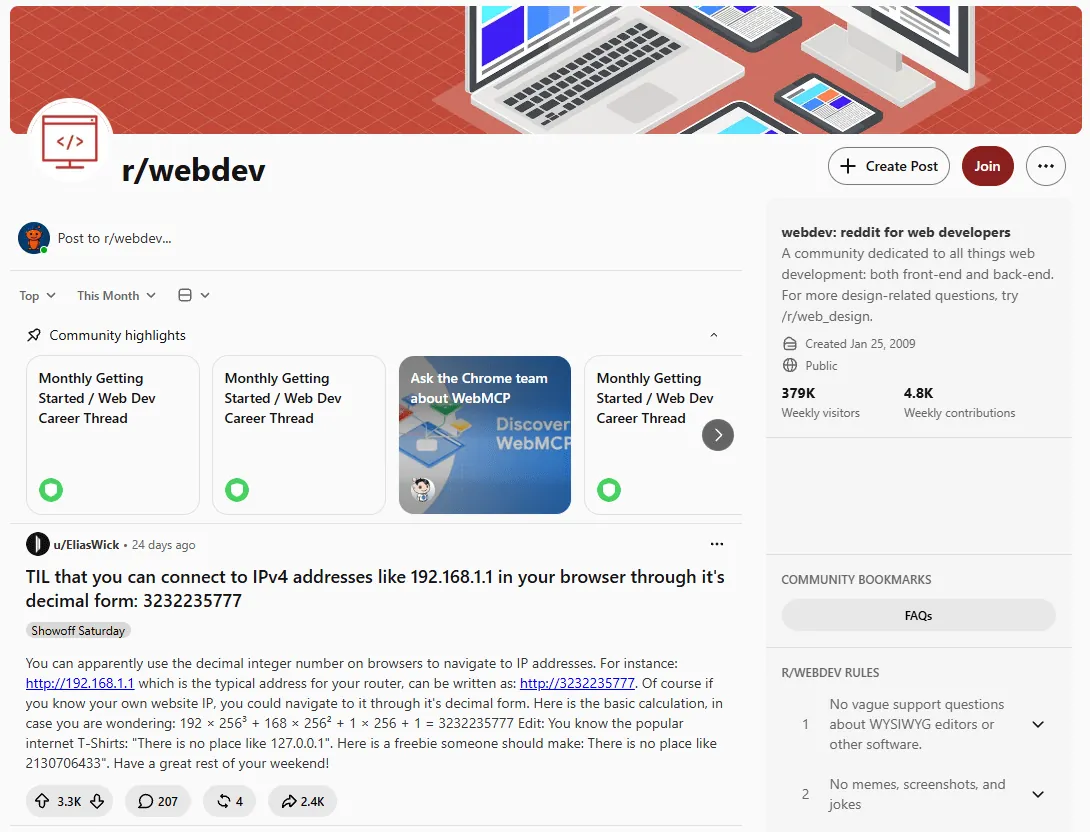
Pick resources that match your learning style and schedule. Most importantly, practice consistently: even 30 minutes a day helps you learn faster.
4. Learn to use AI Tools effectively
AI coding assistants can help you write, explain, and debug code faster. Learning to use them well, and to check the code they suggest, is a useful skill for any developer.
Popular AI tools for web developers include:
- Mimo’s AI-powered platform for generating code with AI and getting instant feedback on your work
- GitHub Copilot for code suggestions and pair programming assistance
- ChatGPT for explaining concepts, debugging, and generating boilerplate code
- Mintlify for automatic code documentation generation
5. Improve your soft skills
Technical skills alone aren’t enough to succeed as a developer. Strong soft skills help you collaborate with others and solve problems creatively.
Focus on:
- Problem-solving to troubleshoot issues and find creative solutions
- Communication to collaborate with designers, stakeholders, clients, and marketers
- Time management to handle multiple projects and meet deadlines
- Attention to detail to spot and fix small errors that could cause big problems
6. Practice and build a portfolio
The most important step is applying what you’ve learned by building real projects.
Start with simple projects like a personal website or a calculator app. For a first web page, learn how to create an HTML file, then link JavaScript to your HTML to make it interactive. If you’re learning Python, try these beginner exercises.
Then, move on to more complex projects that solve real problems. You can:
- Clone popular websites or apps to practice specific techniques
- Participate in coding challenges
- Contribute to open-source projects on GitHub
Finally, collect your best work in a portfolio website. Mimo’s career paths also include guided portfolio projects you build as you learn.
Take the first step into web development
Web development combines creativity and technical skills to build websites, web apps, and even games.
Whether you’re drawn to front-end design, back-end logic, or full-stack development, there’s a path to match your interests and strengths. With projected job growth and solid pay (per US BLS data), it’s a field worth exploring.
Ready to begin? Start learning with Mimo, an interactive coding platform with courses in full-stack, front-end, and more.
FAQs about web development
Is web development the same as coding?
No, coding is just one part of web development. Web development includes planning, designing, testing, and maintaining websites and web apps in addition to coding. All web developers code, but not all coders are web developers.
What is a framework in web development?
A framework is a pre-built structure of code that helps web developers build applications faster. Examples include Angular and Vue for front-end development and Django or Ruby on Rails for back-end. React is technically a UI library, but it is often used in the same way.
What is a CMS?
A CMS (Content Management System) is a platform that lets you create and manage digital content without coding everything manually. WordPress, Webflow, Drupal, and Joomla are popular CMS options.
Can you become a web developer without a degree?
Yes. Many successful web developers don’t have computer science degrees. Requirements vary by employer, and many accept demonstrated skills, a portfolio, or experience in place of a degree. Online web development courses like Mimo, bootcamps, and self-learning can provide the necessary skills to start a web development career.
What pays more, web design or web development?
At the median, web and digital interface designers earn more in the US. According to the US Bureau of Labor Statistics, web developers earned a median of $92,650 per year in May 2025, while web and digital interface designers earned a median of $104,000. Pay for both roles varies widely with experience, location, and specialization.
How is AI changing the day-to-day work of web developers?
AI is changing how web developers work. Instead of writing every line of code, developers can now use AI tools to generate starter components, create test cases, debug issues, and automate repetitive tasks like documentation or accessibility checks. This shifts the role toward higher-level problem solving: designing architectures, reviewing AI-generated code, integrating APIs, optimizing performance, and ensuring security. In other words, AI speeds up execution but still relies on developers to guide decisions, validate outputs, and build production-ready systems.